

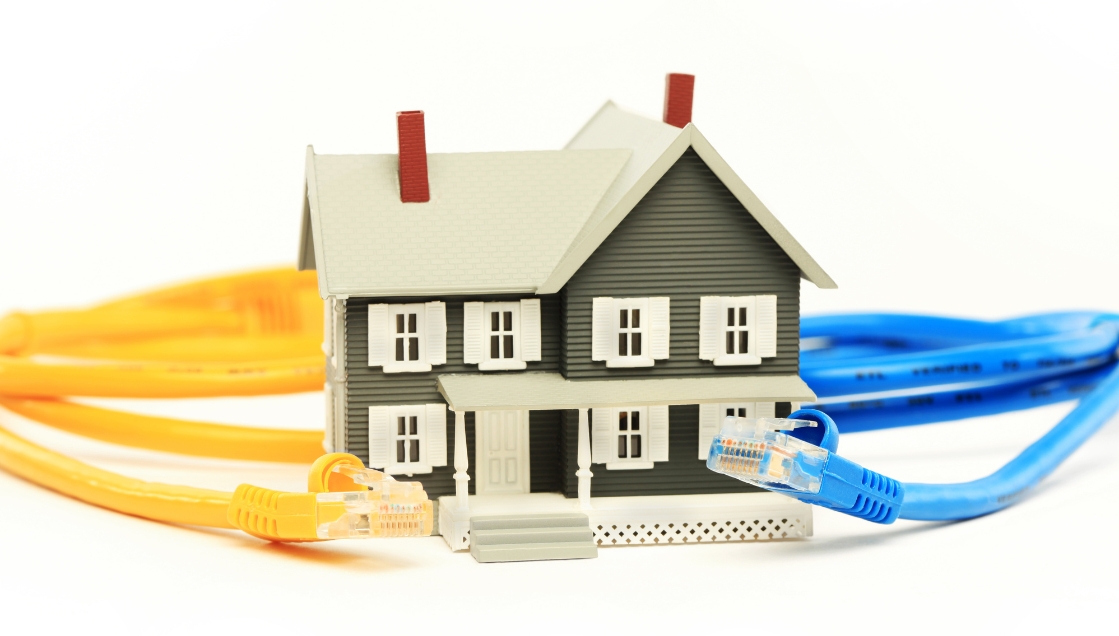
What if the real secret behind a smooth smart home experience isn’t your Wi-Fi plan, but the cables hidden quietly behind your walls?
By 2026, the average Singaporean home is expected to run more than 50 connected devices.
From smart lighting and digital locks to gaming consoles and 4K streaming boxes, everything depends on a stable network. Yet many homeowners still rely entirely on wireless connections, only to end up dealing with dead zones, laggy video calls, or messy bundles of wires behind the TV.
If you’ve ever stepped into your HDB bomb shelter and watched your signal disappear instantly, you already know the struggle.
The good news is that smart home cabling doesn’t have to feel intimidating. Once you understand the basics, planning a future-ready setup becomes much easier.
Today, we’ll break down the key cable types, explain why structured cabling matters, and show you how to build a smart home that stays fast, organised, and reliable for years to come.
Why Smart Homes Still Need Cables
People often assume a “wireless home” means there are no wires involved. In reality, the opposite is true.
Your Wi-Fi network still depends on a strong wired backbone behind the scenes. Every router, mesh node, CCTV camera, or smart hub performs better when connected to a reliable data line. Without that foundation, devices compete for bandwidth and your home slowly turns into a frustrating mess of buffering, lag, and random disconnections.
This becomes especially obvious in Singapore homes, where thick concrete walls and bomb shelters dramatically weaken wireless signals.
A properly planned cabling system solves this problem by creating stable pathways for both power and data throughout the home.
The Two Main Types of Cabling
In a smart home, cables generally serve two purposes:
- Power cables safely deliver electricity to devices like smart switches, curtains, and appliances.
- Data cables carry information between your router, smart hub, devices, and internet connection.
Both systems need to work together smoothly for your automation setup to feel seamless.
Why Quality Matters in Singapore
Singapore’s climate is tough on electronics.
Heat and humidity can slowly damage low-quality wiring, causing brittle insulation, unstable signals, and reduced lifespan. Poorly shielded cables are also more vulnerable to electromagnetic interference, especially in dense apartment environments.
That’s why professional-grade materials matter. Investing in proper cabling during renovation is often far cheaper than troubleshooting unstable systems later.
The Most Important Cable Types for Modern Homes
Not every cable is built for the same job. Some are designed for internet speed, while others handle audio, video, or smart automation.
Here are the most important ones to know.
Cat6 vs Cat6A: Which Should You Choose?
For most homes, Cat6 is still perfectly usable. It supports gigabit internet speeds and works well for standard smart home setups.
However, Cat6A has quickly become the preferred option for future-proofing.
Cat6A supports:
- 10Gbps speeds
- Better shielding against interference
- Improved performance over longer distances
As of March 2025, professional Cat6A installation in Singapore typically costs around $180 to $240 per point.
If you’re already renovating, upgrading to Cat6A now usually makes more sense than rewiring the house again later.
HDMI 2.1 for Entertainment Areas
If you’re planning a gaming setup, home cinema, or large smart TV, HDMI 2.1 is worth considering.
It supports:
- 8K resolution
- Higher refresh rates
- Better performance for PlayStation and Xbox gaming
This becomes especially important if you want smooth 4K or 8K streaming without signal issues.
Power over Ethernet (PoE)
PoE is one of the most useful technologies for modern smart homes.
Instead of running separate power and data lines, PoE allows one cable to handle both.
This is commonly used for:
- CCTV cameras
- Ceiling Wi-Fi access points
- Smart intercom systems
The result is a cleaner installation with fewer visible wires and power adaptors.
Planning Smart Home Cabling During Renovation
The best time to install smart home cabling is during renovation.
Once walls are sealed and carpentry is complete, adding new lines becomes far more difficult and expensive.
A little planning early on can save a huge amount of frustration later.
Create a “Data Command Centre”
Most Singapore homes place networking equipment near the DB box.
This area becomes the central hub for:
- Your router
- Network switch
- Fibre connection
- Smart home hub
Make sure this space has:
- Proper ventilation
- Easy access for maintenance
- Enough room for future upgrades
A cramped or overheated DB box is one of the most common causes of unstable home networking.
Plan Around High-Usage Areas
Some rooms need stronger connectivity than others.
For example:
- Living rooms need stable streaming connections
- Home offices need reliable video call performance
- Gaming rooms need low-latency connections
- Smart TVs benefit from wired internet
Running dedicated data points to these locations creates a far more stable experience than relying entirely on Wi-Fi.
Don’t Forget Wi-Fi Dead Zones
HDB bomb shelters and thick concrete walls are notorious signal killers.
Instead of fighting weak signals, many homeowners now install wired access points throughout the home. These access points create stronger, more consistent Wi-Fi coverage in every room.
It’s one of the easiest ways to eliminate frustrating dead zones permanently.
Cable Management Matters More Than You Think
Even the best cabling setup can become a nightmare if it isn’t organised properly.
Messy wiring traps heat, creates signal interference, and makes troubleshooting incredibly difficult later on.
Good cable management keeps your setup cleaner, safer, and easier to maintain.
Simple Ways to Keep Things Organised
A few small habits make a big difference:
- Use velcro ties instead of plastic zip ties
- Label every cable clearly
- Separate power cables from data cables
- Keep networking equipment dust-free
Proper labelling is especially important. Years from now, you’ll appreciate knowing exactly which cable connects to which room.
Hiding Wires Without Sacrificing Design
Nobody wants visible “spaghetti wires” ruining a beautiful renovation.
In new renovations, concealed wiring inside false ceilings or feature walls creates the cleanest look.
For resale flats where hacking may not be ideal, painted PVC trunking can still hide cables neatly while blending into the wall design.
The goal is simple: technology should feel invisible.
Why Professional Structured Cabling Beats DIY
DIY smart home setups often work fine at first. The problems usually appear later.
As more devices get added, the network becomes unstable, speeds slow down, and troubleshooting turns into guesswork.
Professional structured cabling solves these issues from the start by properly designing the entire system.
Instead of random wires and disconnected gadgets, you get:
- Stable wired backhaul
- Better Wi-Fi coverage
- Cleaner installations
- Easier upgrades in future
- Improved cybersecurity
More importantly, everything works together smoothly.
That’s what transforms a house full of gadgets into a genuinely smart home.
The Home-A-Genius Approach
At Home-A-Genius, we believe smart home systems should feel effortless.
We design systems specifically for Singapore homes, taking into account HDB layouts, condo structures, and the challenges created by concrete walls and compact spaces.
Rather than overwhelming homeowners with technical jargon, our focus is simple:
- Fast and stable connectivity
- Clean and hidden installations
- Reliable smart automation
- Easy control through a unified system
Whether you’re renovating a BTO, upgrading a resale flat, or planning a landed property setup, the right infrastructure makes all the difference.
Final Thoughts
A smart home is only as reliable as the infrastructure behind it.
While flashy gadgets often get the attention, it’s the hidden cabling system that determines whether your home feels smooth and seamless, or frustrating and unreliable.
By planning your cabling properly during renovation, choosing future-ready standards like Cat6A, and investing in professional structured networking, you create a home that’s ready for the next decade of technology.
Most importantly, you avoid the headaches of laggy Wi-Fi, weak signals, and messy wires.
Technology should make life easier, not more stressful.
That’s the real goal of a smart home.
Frequently Asked Questions
What is the best cable for home networking in Singapore?
Cat6A is currently the best balance between performance and future-proofing for most Singapore homes. It supports 10Gbps speeds and offers stronger shielding against interference compared to standard Cat6.
Can I reuse old telephone points for internet?
Not effectively. Older telephone wiring was never designed for modern high-speed networking. Replacing them with proper data cabling during renovation is the better long-term solution.
Do smart home devices really need wired connections?
Not every device needs to be wired, but critical systems like routers, smart hubs, and CCTV cameras perform far more reliably with physical connections.
How much does smart home cabling cost in Singapore?
As of 2025, Cat6 installations typically range from S$120 to S$180 per point, while Cat6A installations usually cost around S$180 to S$240 per point.
Is Wi-Fi mesh enough for multi-storey homes?
A purely wireless mesh setup often loses speed between floors. Wired access points connected through structured cabling provide much better performance and stability.
What is PoE and why is it useful?
Power over Ethernet (PoE) allows one cable to deliver both electricity and internet data. It’s commonly used for CCTV cameras and ceiling-mounted access points to reduce clutter and simplify installation.
